Microsoft's introduction of Copilot Cowork signals a shift from prompt-based assistance to agentic, multi-step AI workflows integrated throughout Microsoft 365. This evolution enables greater productivity and cross-application automation but raises new considerations for enterprise AI governance, workforce upskilling, and measuring ROI as tasks span ERP, CRM, collaboration, and data platforms.
This analysis details what Copilot Cowork alters in operational practice, how multi-step AI workflows interact with established controls and operating models, and what technology and business leaders should prioritize as deployments transition from pilot to production.
From Prompt-Based Assistance to Agentic, Multi-Step AI Workflows
What Copilot Cowork Actually Changes
Earlier iterations of Microsoft Copilot and similar tools concentrated on single prompts, such as content generation, meeting summarization, or email drafting within one application. Copilot Cowork introduces an agentic framework capable of planning and executing work across multiple tools and over time.
Microsoft announced Copilot Cowork on 10 March 2026 as an upgraded Microsoft 365 Copilot experience built on Anthropic's Claude Cowork automation platform, designed to "take action" on work rather than only answer prompts.
According to Microsoft's materials and independent reports, Copilot Cowork:
- Accepts outcome-level requests, such as preparing for a client meeting or organizing a project launch, rather than only handling isolated queries.
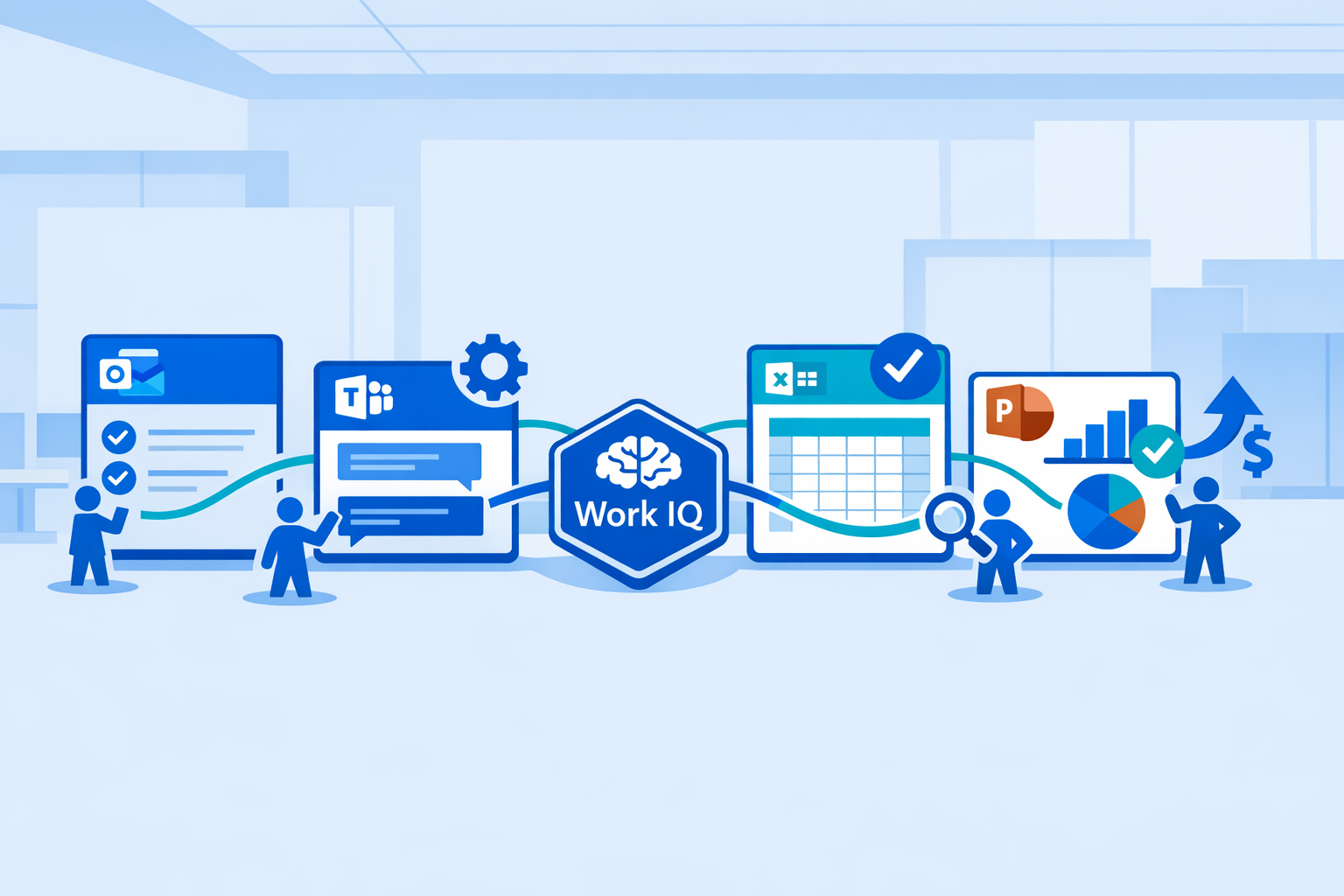
- Develops a multi-step work plan, executing tasks across Outlook, Teams, Excel, PowerPoint, and other Microsoft 365 applications.
- Operates persistently, updating plans, requesting clarification, and reporting progress as context evolves.
- Leverages a context layer, sometimes called "Work IQ," to infer relationships among emails, documents, meetings, and schedules.
In Microsoft's examples, Copilot Cowork analyzes congested Outlook calendars, automatically reschedules meetings, reserves focus time, aggregates client briefings from emails and files, and generates presentations and summaries across Microsoft 365 assets.
Preview Status and Deployment Model
Copilot Cowork is currently in testing with select Microsoft 365 customers, with broader rollout expected via the Microsoft 365 Frontier program starting late March 2026.
This preview delivery is significant for enterprise buyers:
- Supports controlled trials under existing Microsoft 365 identity, security, and compliance mechanisms.
- Permits organizations to limit early use to scoped workflows and specific business units.
- Provides feedback for product development before general availability.
For CIOs and enterprise architects, Copilot Cowork represents a shift: multi-step, cross-tool AI workflows are becoming core features inside productivity suites.
How This Differs from Traditional Workflow Automation
Conventional workflow solutions, such as RPA or scripted orchestrations, depend on predefined flows, explicit connectors, and fixed rules. Copilot Cowork and similar agentic systems introduce several distinctions:
- Planning vs. scripting - Agents derive and plan steps dynamically from natural language targets rather than processing rigid, pre-modeled flows.
- Reasoning over unstructured data - Large language models (LLMs) work directly with emails, documents, and chat transcripts, not just structured APIs.
- Long-running context - Workflows may adapt over hours or days as new data emerges, instead of executing in short transactions.
These capabilities integrate collaboration, content creation, and process execution, elevating the need for robust governance and enterprise architecture alignment.
Governance Requirements for Cross-Tool, Agentic AI
Agentic AI within productivity and business systems expands the attack surface and regulatory scope. Governance must evolve from model-level controls to workflow- and ecosystem-level oversight.
Identity, Access, and Data Boundaries
Microsoft positions Copilot Cowork to operate within Microsoft 365 identity and compliance frameworks, so actions inherit user permissions and tenant policies.
Key considerations for CISOs and IT governance teams include:
- Agent identity model - Determining whether actions log under the human user, a service principal, or a unique "agent identity" affects auditability and separation of duties.
- Least-privilege by design - Multi-step workflows spanning Outlook, SharePoint, Teams, and OneDrive must enforce the strictest applicable permissions step by step.
- Tenant and environment boundaries - Multi-tenant or multi-environment organizations need clear delineation where agents can read, write, or transfer data.
Research on multi-agent architectures underscores the importance of memory governance in these settings. Recent studies on "governed memory" for multi-agent workflows note risks from unmanaged shared memory, including fragmented governance, unstructured records, context duplication, and unnoticed quality degradation without feedback loops.
Policy, Audit, and Regulatory Alignment
Cross-tool AI workflows raise both the volume and obscurity of automated operations, with direct regulatory implications under frameworks such as the EU AI Act.
Emerging governance models are instructive:
- The Unified Control Framework for Enterprise AI proposes a single control set covering AI risk management, compliance, and technical assurance across jurisdictions.
- The AGENTSAFE framework extends these principles to agentic AI, mapping risks of autonomous planning and tool chaining to design-time, runtime, and audit controls.
In practical terms, controls for multi-step AI workflows in Microsoft Copilot and similar systems generally include:
- Policy-based restrictions governing which tools and classes of data agents can access.
- Logging every tool invocation, parameter, and output for auditability.
- Configurable approval steps for high-risk activities (e.g., financial transactions or mass external communications).
- Orchestration-layer policies to mitigate model risks, such as prompt injection.
Operational Guardrails for Multi-Agent Workflows
Agentic architectures often deploy multiple specialized agents in collaboration. Security research like AgenticCyOps highlights concentrations of risk at integration points:
- Tool orchestration (sequencing and invoking tools).
- Memory management (storage and sharing of intermediate data and decisions).
Recommended operational guardrails for enterprise deployments include:
- Scoped workflows - Restricting initial use to non-production or lower-risk domains, such as internal reporting.
- Segregated memory spaces - Preventing workflow-specific memory reuse across unrelated processes.
- Consensus and validation patterns - Employing secondary agents or deterministic checks to validate outputs before finalizing actions, especially in finance, supply chain, or HR domains.
Upskilling for AI Workflows, Not Just AI Tools
Skills Gap as a Primary Adoption Barrier
Technology deployment alone does not guarantee AI ROI. Numerous industry studies consistently report that the skills gap is a leading obstacle to realizing AI's value.
Recent multicountry surveys show only 14% of organizations have fully scaled AI into production, and 46% of AI pilots fail to progress beyond pilot stage.
In the same studies, 57% of businesses cite lack of expertise as the chief barrier to AI adoption, while 31% point to growing regulatory and compliance complexity, such as with the EU AI Act.
These findings emphasize the need for upskilling to support complex workflows like Copilot Cowork, not just prompting proficiency.
New Roles and Competencies Around Microsoft Copilot Cowork
Multi-step AI workflows impact process design, data governance, and change management. Organizations are formalizing roles such as:
- AI workflow designers - Process specialists who decompose business outcomes into sequential steps suitable for agentic execution and define handoff points.
- AI product owners - Stakeholders accountable for end-to-end workflow lifecycles (e.g., sales forecasting, invoice processing) across tools.
- AI risk and compliance leads - Experts who align workflows to regulatory requirements, define exception processes, and supervise controls testing.
As Copilot Cowork relies on natural language configuration rather than code, training must balance conceptual knowledge and accessibility. Course offerings are emerging around Copilot Cowork workflows, such as meeting preparation, email triage, and cross-app reporting automations built natively in Microsoft 365.
Designing Effective Upskilling Programs
For IT and HR leaders, effective upskilling on Copilot Cowork includes:
- Foundations - Coverage of agentic capabilities, hallucination risks, data access models, and failure scenarios.
- Workflow design patterns - Teaching users to structure goal-oriented instructions, define checkpoints, and establish success metrics in natural language.
- Governance-by-design - Integrating privacy, security, and compliance requirements into workflows from the outset.
- Metrics literacy - Equipping business owners to interpret AI adoption telemetry (e.g., Microsoft's AI adoption scores) and correlate with business KPIs.
Measuring AI ROI in Cross-Tool, Multi-Step Environments
Evidence from Automation and AI ROI Studies
While Copilot Cowork is new, data from related workflow automation and enterprise AI programs provides benchmarks.
Forrester's Total Economic Impact analysis of Microsoft Power Automate indicated a 248% ROI over three years for a composite enterprise, with US$55.93 million in benefits versus US$16.08 million in costs.
Benchmarks across industries show three-year AI ROI in the 280-520% range in sectors such as IT, finance, logistics, marketing, and HR, with payback periods of seven to sixteen months.
Security contributes to AI ROI:
IBM's 2025 Cost of a Data Breach analysis found organizations using AI and automation in security shortened breach lifecycles by approximately 80 days and reduced breach costs by US$1.9 million per incident compared to peers without automation.
These findings illustrate that governed, workflow-centric AI can yield significant savings and risk mitigation, though multi-step workflows complicate attribution.
Practical KPI Design for Copilot Cowork Workflows
For workflows spanning collaboration tools and core systems, CIOs and CFOs increasingly use layered KPIs:
- Workflow-level efficiency - Cycle time, touch time, and queue time for end-to-end processes, such as sales to quote or issue resolution.
- Quality and risk - Output error rates, rework, and compliance incidents attributable to AI actions.
- User-level productivity - Time spent on low-value tasks like scheduling or document preparation.
- System-level impact - Transaction throughput, cycle durations, or SLA compliance.
A comparative framework positions Copilot Cowork against standalone prompt assistance:
| Dimension | Single-Prompt Copilot | Copilot Cowork Multi-Step Workflow |
|---|---|---|
| Execution scope | Within a single app and session | Across multiple apps and sessions over time |
| Trigger model | User-initiated prompt | Outcome request with autonomous planning/execution |
| Governance | Prompt content and model behavior | Tool orchestration, data flow, logging, approvals |
| Measurement | Interaction-level productivity metrics | Process-level performance and risk outcomes |
| Skills | Prompt formulation, output review | Workflow design, cross-tool process, AI risk |
Example Metrics for Common Enterprise Scenarios
For initial Copilot Cowork deployments in Microsoft 365, ROI measurement can center on key workflows:
- Meeting/calendar management - Reduction in manual scheduling/preparation time; changes in average focus time.
- Sales/account planning - Impact on client briefing prep time and win rates with AI-generated materials.
- Periodic reporting - Decrease in manual compilation time and error rates in consolidated reports.
Metrics should connect to financial baselines, such as labor and opportunity costs or risk-based savings, to support consistent ROI calculation.
Integration with ERP, CRM, and Data Platforms
Architectural Patterns for Cross-Tool AI Workflows
Copilot Cowork is embedded in Microsoft 365, but many high-value workflows span ERP, CRM, and data systems. Common integration models include:
- Connector-based orchestration - Employing standard connectors (e.g., Dynamic 365, SAP, Salesforce) so that Copilot workflows access APIs instead of exported files.
- Event-driven patterns - Triggering Copilot workflows from ERP/CRM events, such as opportunity creation or overdue invoices, to automate communications or analysis.
- Data virtualization - Enforcing data governance through central data platforms (data lakes/lakehouses) with consistent lineage and access controls.
Aligning with ModelOps and Enterprise AI Governance
ModelOps-the discipline managing operational AI and analytical models-extends to agentic AI workflows.
To align Copilot Cowork with ModelOps, organizations should:
- Treat core AI workflows as governed assets, with lifecycle, versioning, and rollback procedures.
- Integrate Copilot telemetry (prompts, actions, outcomes) into monitoring frameworks.
- Link ERP/CRM schema changes and security shifts to Copilot workflow reviews.
This approach diminishes automation fragility and supports compliance with evolving AI regulations.
Actionable Conclusions and Next Steps
Multi-step agentic AI platforms such as Microsoft Copilot Cowork are poised to become central to enterprise workflows. Realizing benefits while managing risks demands coordinated action across technology, compliance, and business domains.
Leaders should prioritize the following:
- Establish a workflow governance framework covering cross-tool agents, orchestration, and memory management, integrated with existing AI/data governance.
- Define a controlled Copilot Cowork adoption roadmap, beginning with lower-risk workflows within Microsoft 365, progressively extending to ERP/CRM.
- Initiate targeted upskilling in AI workflow design, governance, and KPI methodology.
- Integrate AI workflows with ModelOps and change management for coordinated updates amidst system changes.
- Implement a standardized ROI tracking framework at the workflow level, capturing performance, risk, and user experience, to inform scaling decisions.
Organizations treating Copilot Cowork and similar tools as integrated operational models-not isolated features-will be positioned to sustain gains in efficiency, resilience, and decision quality while maintaining governance and compliance.
Frequently Asked Questions
What is the key difference between Microsoft Copilot and Copilot Cowork?
Traditional Copilot tools respond to prompts within a single application, for example, drafting an Outlook email or summarizing a Word document. Copilot Cowork adds an agentic layer, planning and executing multi-step workflows across several Microsoft 365 apps driven by outcome-level requests.
Instead of only responding to "Write this email," Copilot Cowork can fulfill broader objectives such as "Prepare for this client meeting," coordinating calendars, briefing backgrounds, drafting communications, and producing presentations under current identity and compliance constraints.
How mature is Copilot Cowork for mission-critical ERP or CRM workflows?
As of early 2026, Copilot Cowork is in controlled preview with selected customers and Frontier program participants. Its primary focus is multi-step workflows within Microsoft 365-covering calendars, documents, communications, and basic analytics-rather than transactional automation in ERP or CRM.
For mission-critical processes like financial postings or order management, Copilot Cowork serves as an assistive layer (e.g., preparing analyses or drafts) while final execution remains in governed systems or established automation platforms. Deep integration with ERP/CRM systems will require explicit connectors, enhanced governance, and further assurances.
What governance controls should be in place before enabling Copilot Cowork broadly?
Effective Copilot Cowork governance should include:
- Defined allowed and disallowed workflows, especially where sensitive data, financial commitments, or regulatory constraints exist.
- Role-based and least-privilege access configurations across the Microsoft 365 tenant, with attention to cross-tenant and environment boundaries.
- Comprehensive logging of agent actions, including tool executions and outputs, integrated with SIEM and audit systems.
- Approval or secondary validation workflows for high-impact activities, such as wide-reaching communications or changes to financial records.
- Regular reviews of workflows and logs to update policies and associated training.
How should enterprises approach upskilling for multi-step AI workflows?
Organizations are combining broad AI literacy with specialized training for workflow designers and owners. Recommended approaches include:
- Scenario-based training on creating Copilot Cowork workflows for meetings, reporting, and email triage.
- Workshops mapping existing workflows to identify AI-suitable tasks, designed collaboratively with IT and risk teams.
- Training on interpreting AI usage data to refine prompts, checkpoints, and workflows.
- Governance-focused sessions explaining regulatory, data-classification, and security implications for multi-step workflows.
How can organizations measure ROI for Copilot Cowork in a defensible way?
Defensible ROI measurement begins with a defined set of workflows and established baselines. For each, organizations estimate current effort, error/rework rates, and risk exposure.
Following deployment, changes in cycle times, manual effort, error rates, and user satisfaction are tracked and converted to monetary values based on labor and risk savings or incremental revenue. Aggregating these across workflows and comparing to implementation/licensing costs provides a portfolio-level view supporting further investment.